Built on retrieval practice and spaced repetition
Stop rereading.
Start remembering.
Student OS turns your lecture slides into questions, shows exactly which ideas your answer missed, and schedules flashcards so you walk into the exam already knowing it.
Free plan, no credit card. Works with PDF, Word, PowerPoint and links.
Rereading feels like studying. It isn’t.
Rereading and highlighting make a page feel familiar, so it feels like you know it. Then the exam asks you to explain it.
A major review of study techniques rated practice testing and spaced practice as the most effective, and rereading and highlighting among the least.1 Student OS is built around the first two.
The usual way
- Reread the slides the night before
- Highlight whatever looks important
- Find the gaps in the exam hall
With Student OS
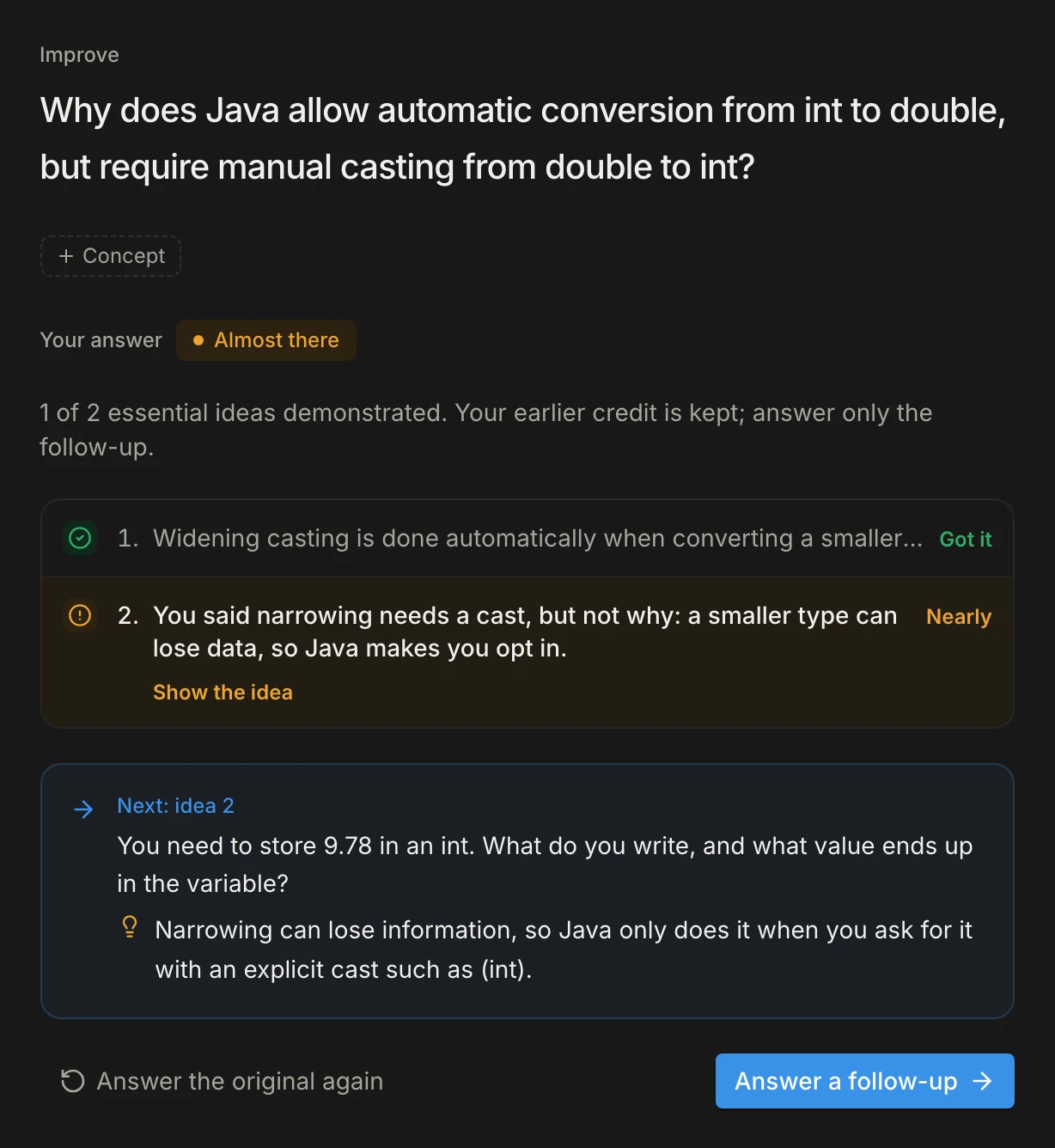
- Answer questions written from your own slides
- See which ideas you missed, and practise exactly those
- Review each card just before you would forget it
How it works
One loop: understand it, then keep it.
- 1
Bring your lecture
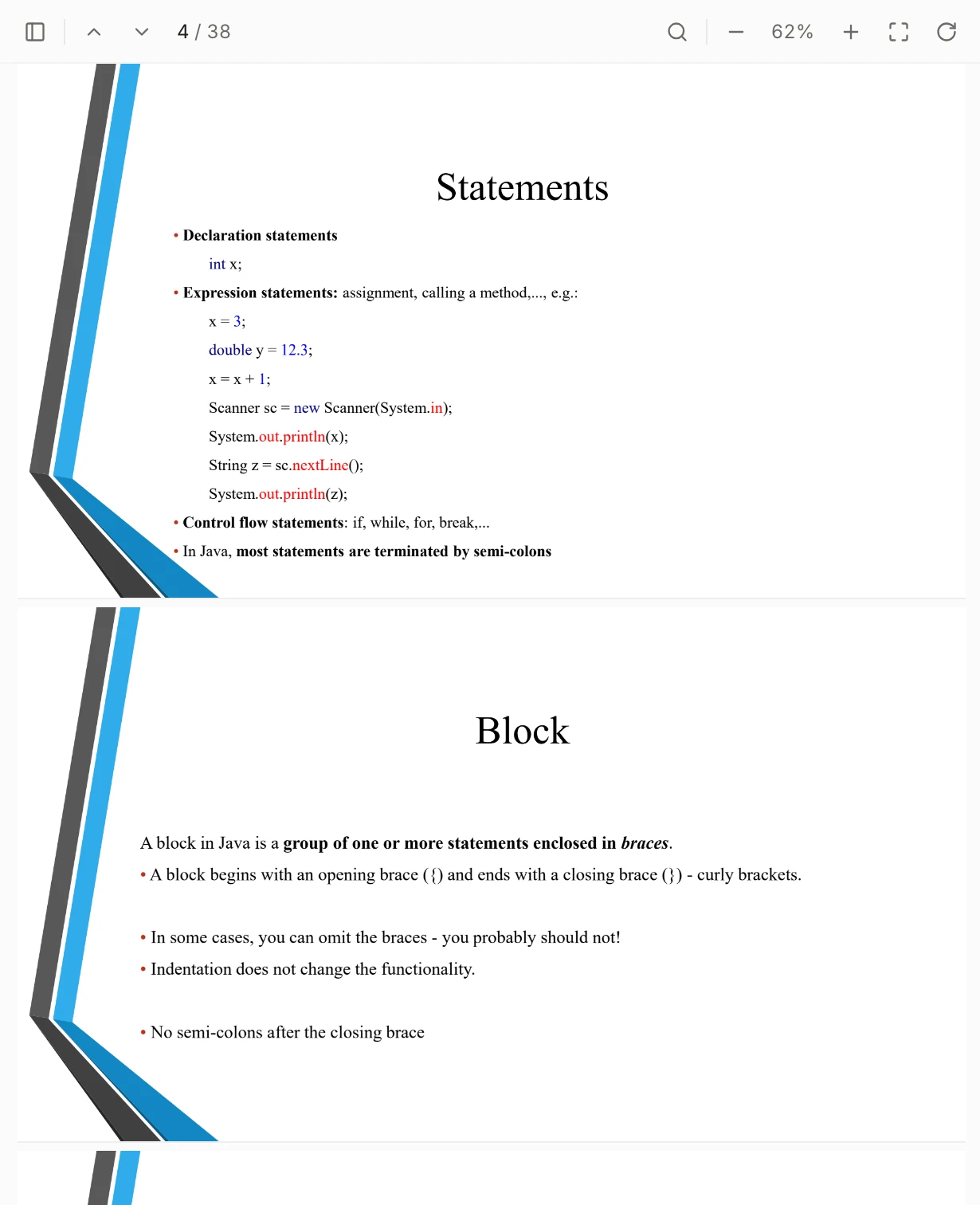
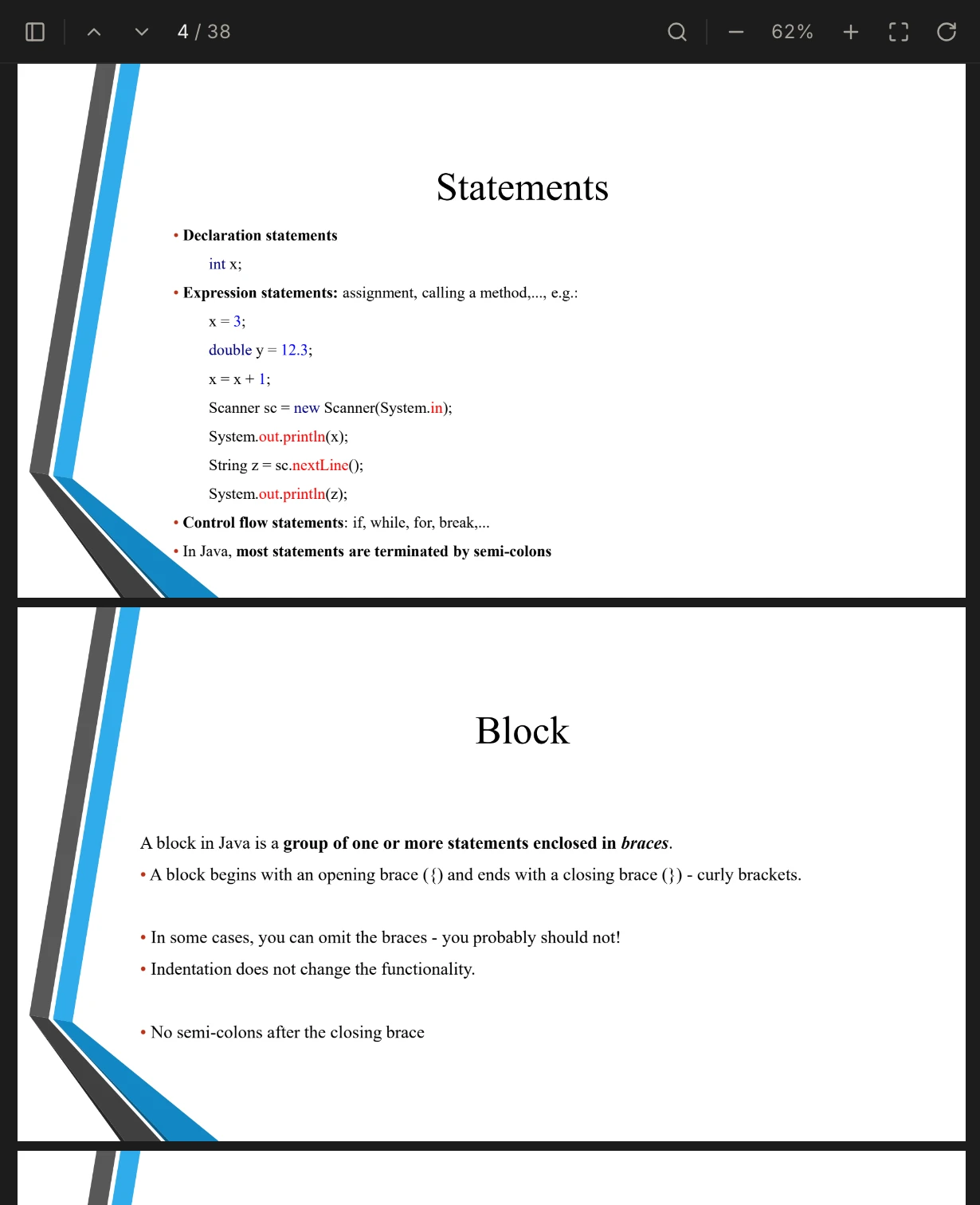
Drop in your slides or notes, or paste a link. Your material opens right beside your questions, so the source is never more than a click away.
- PDF, Word and PowerPoint, or a link
- Every question points to the pages it came from
- 2
Explain it in your own words
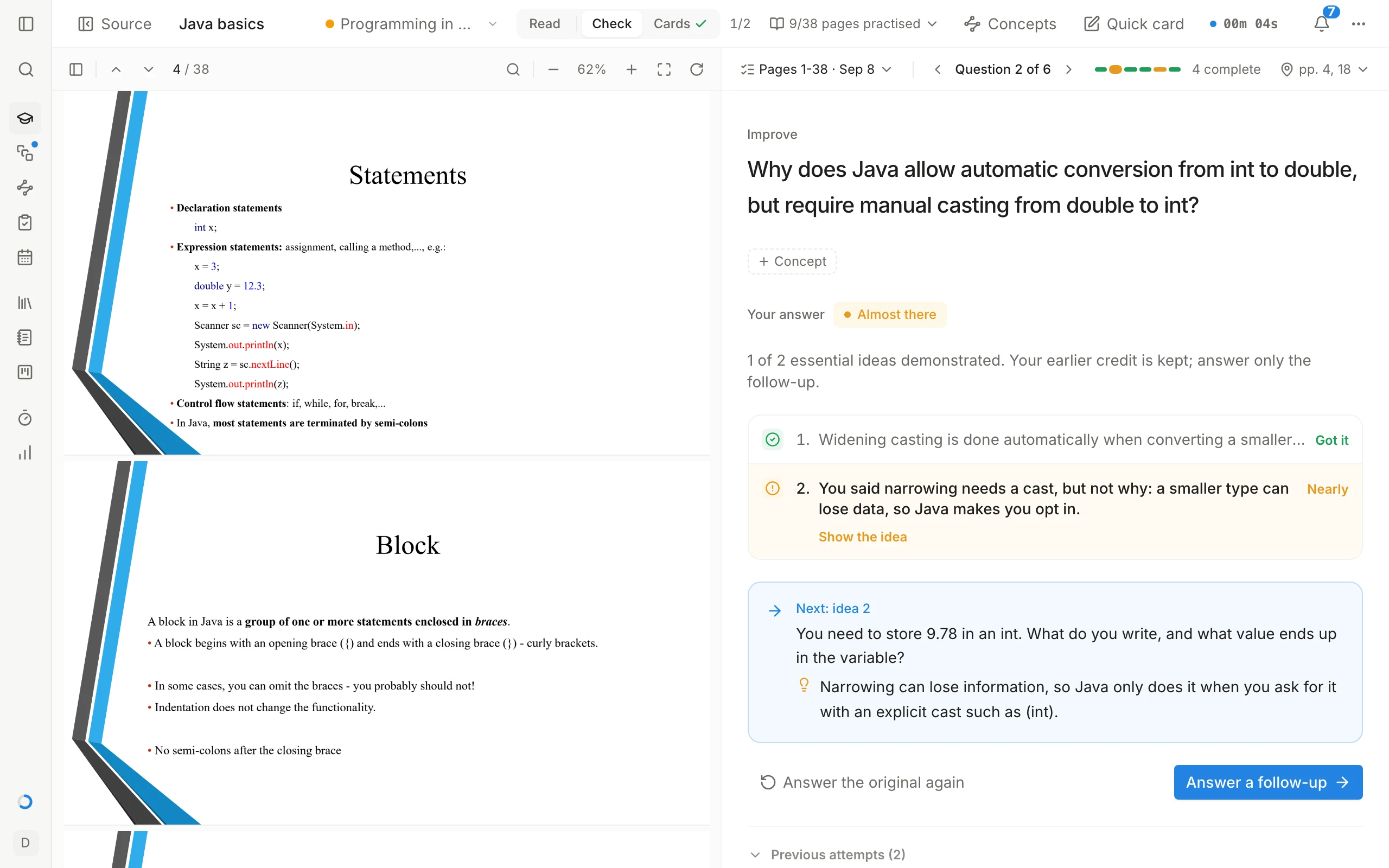
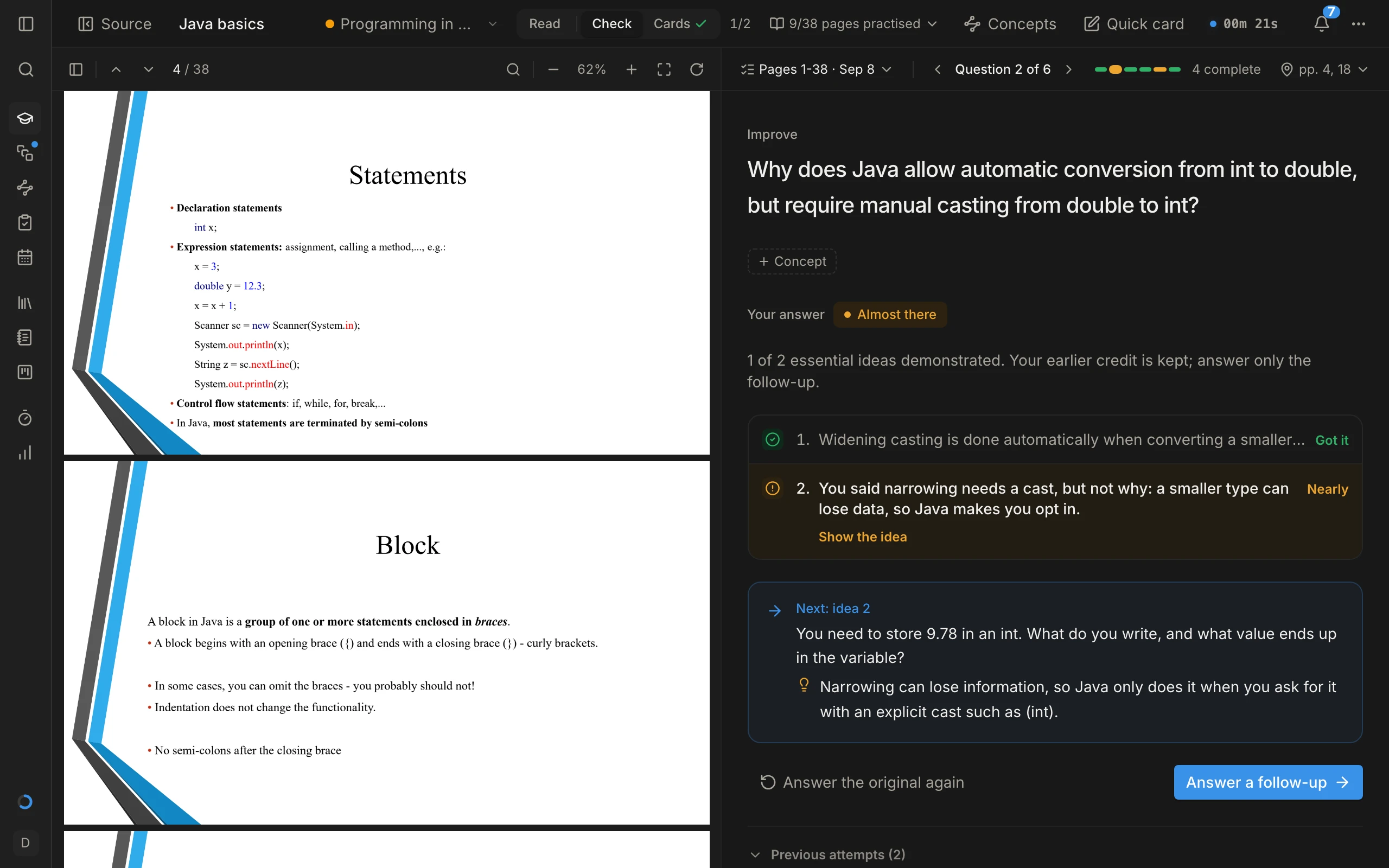
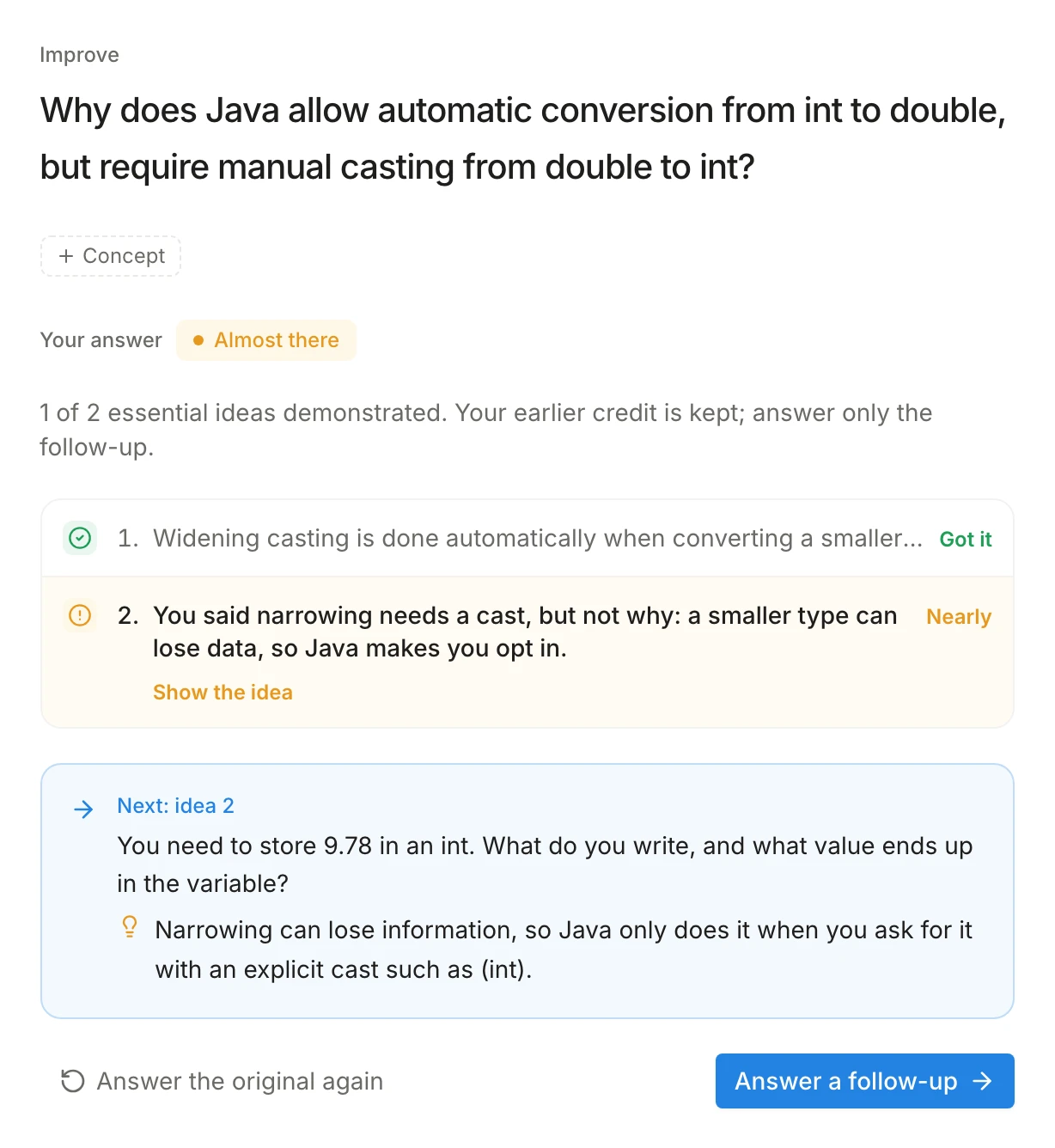
Answer questions written from your material. Feedback marks each idea you got, nearly got or missed, then gives you a follow-up aimed at the gap.
- Feedback on every idea, not just a score
- Follow-ups target exactly what you missed
- 3
Keep it until the exam
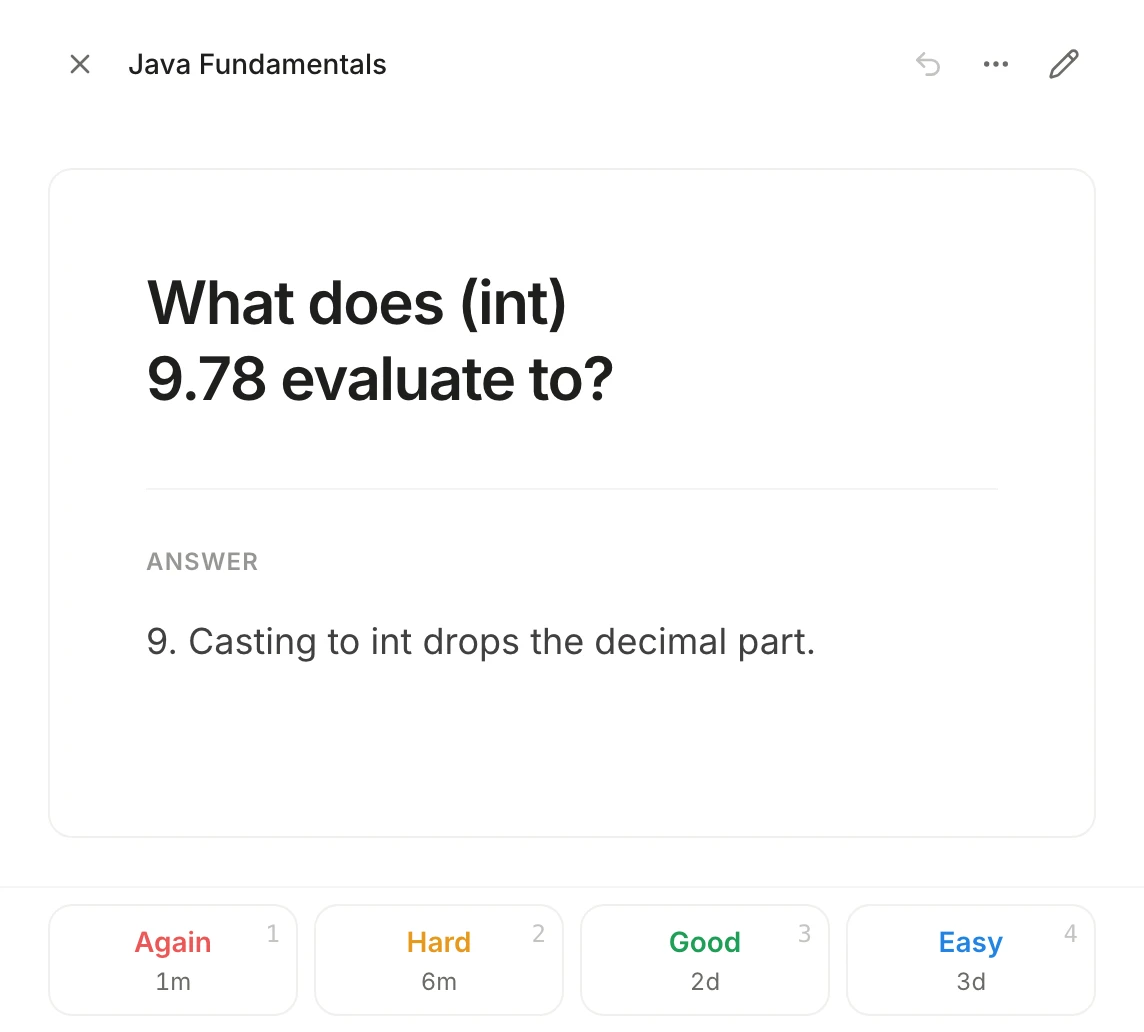
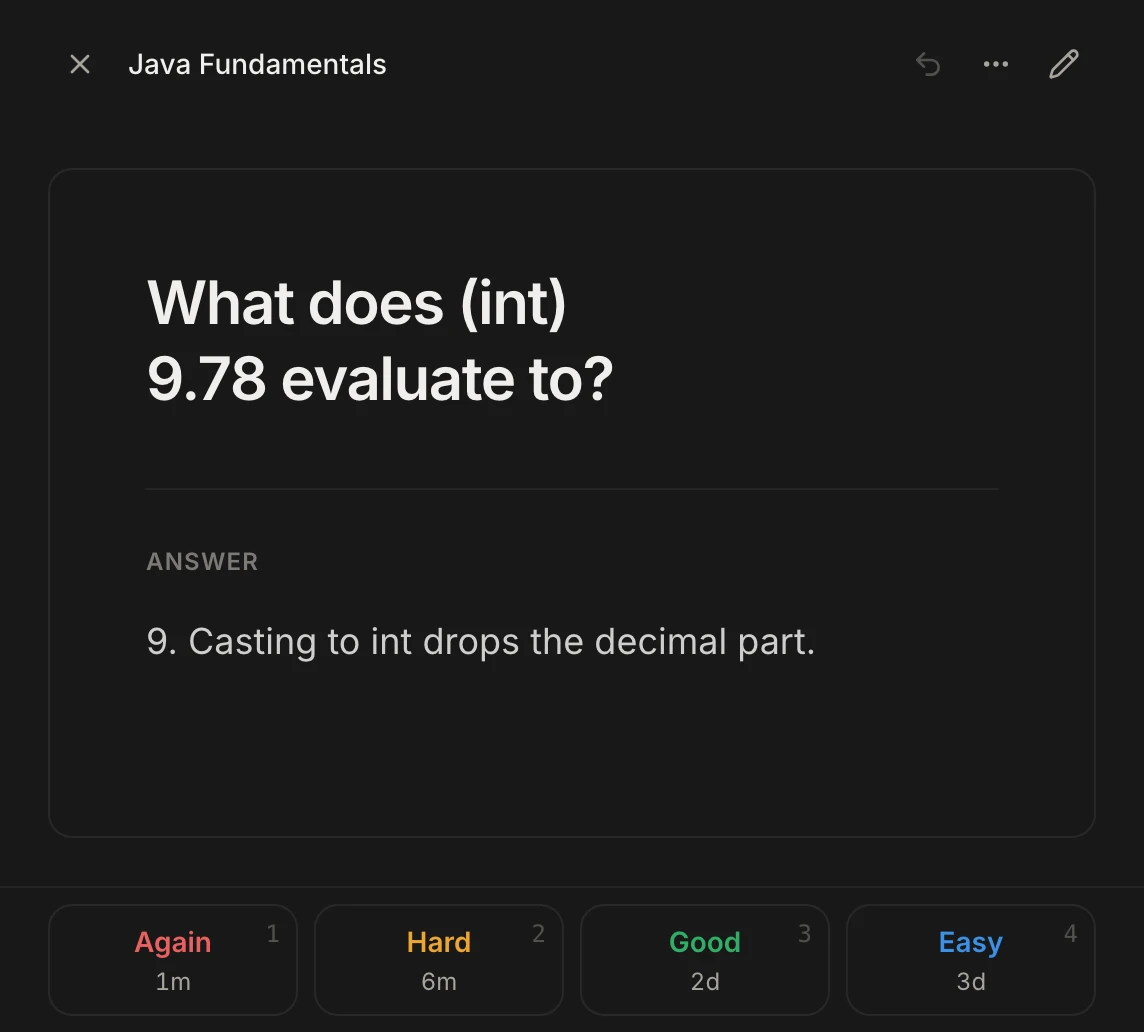
Turn what you learned into flashcards, written by you or drafted for you. FSRS, the open-source scheduler also used by Anki, brings each card back just before you would forget it.
- Cards link back to their source page
- Short daily reviews instead of a night of cramming
Everything around it
The rest of your semester, in the same app.
Plan for exams, see how ideas connect, and keep your week in order, without juggling five apps.
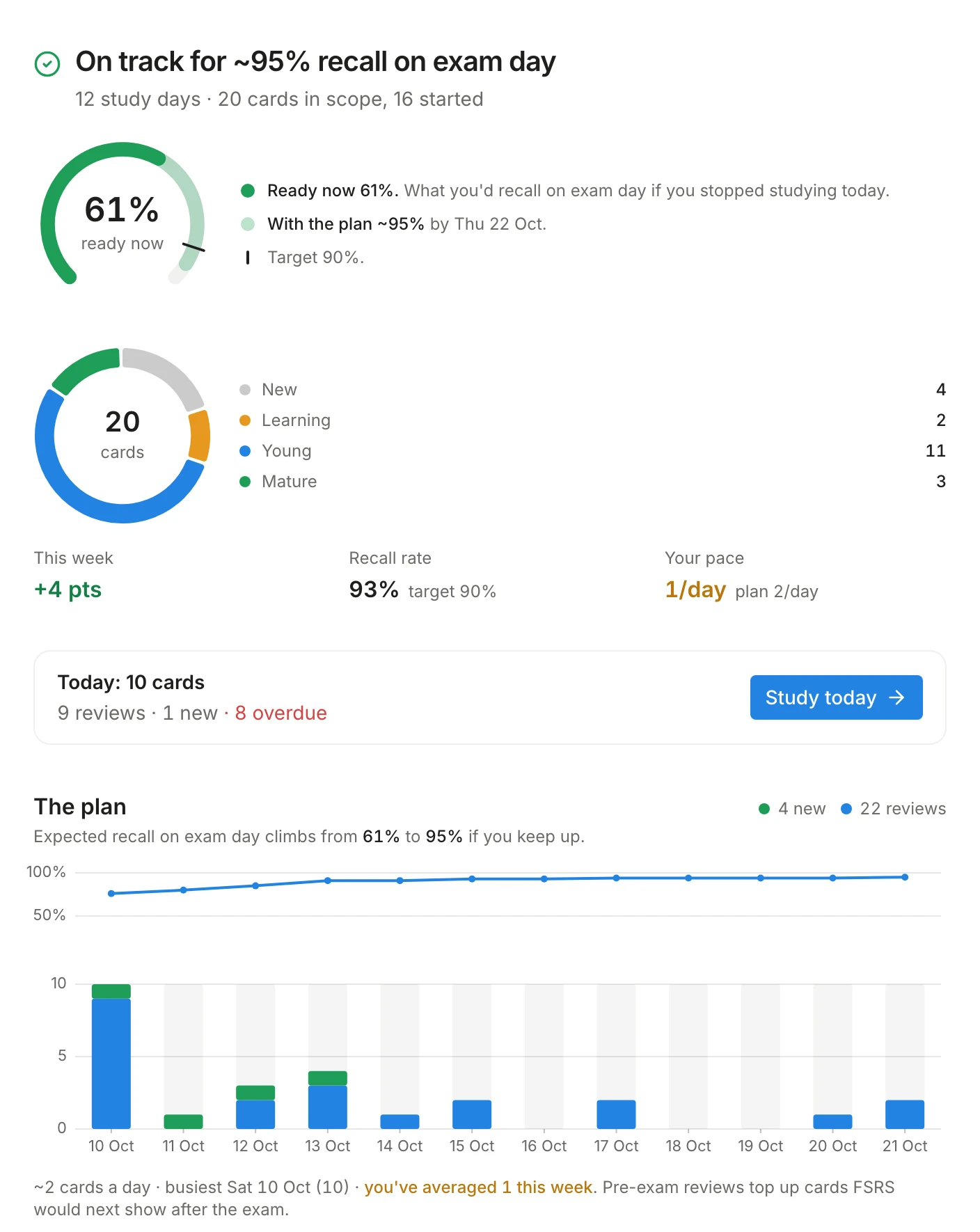
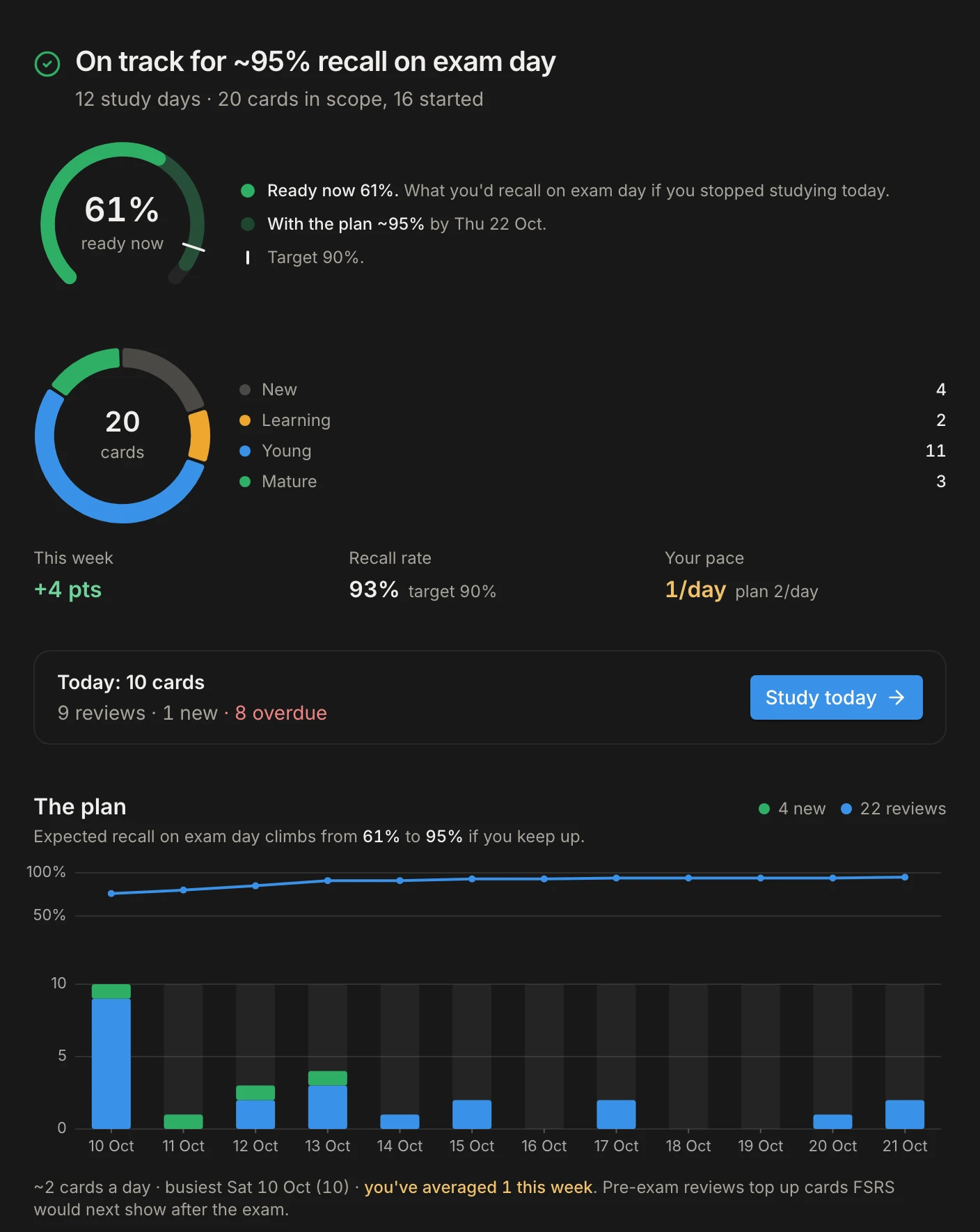
Know you are on track before exam day
Set the date and what it covers. Student OS works backwards from the exam and tells you how many cards to review today.
Your week in one place
Deadlines, exams and study blocks on one calendar, with boards for assignments.
Notes beside the slides
Write lecture notes next to the material they are about, in the same session.
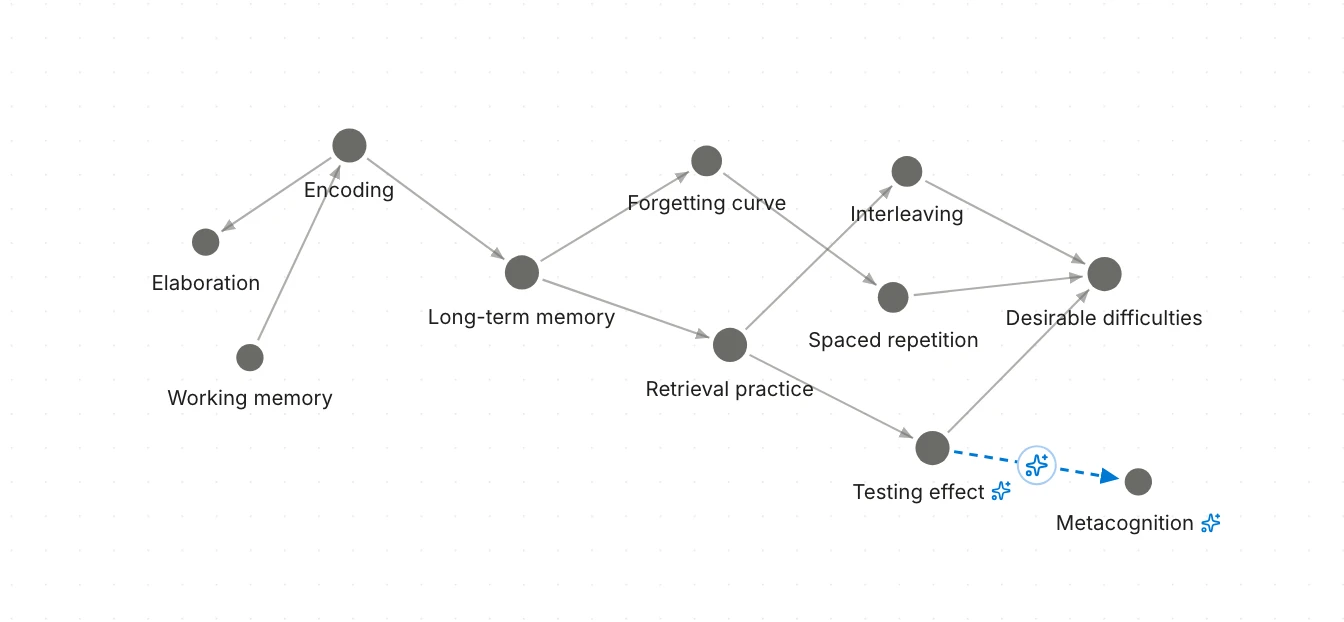
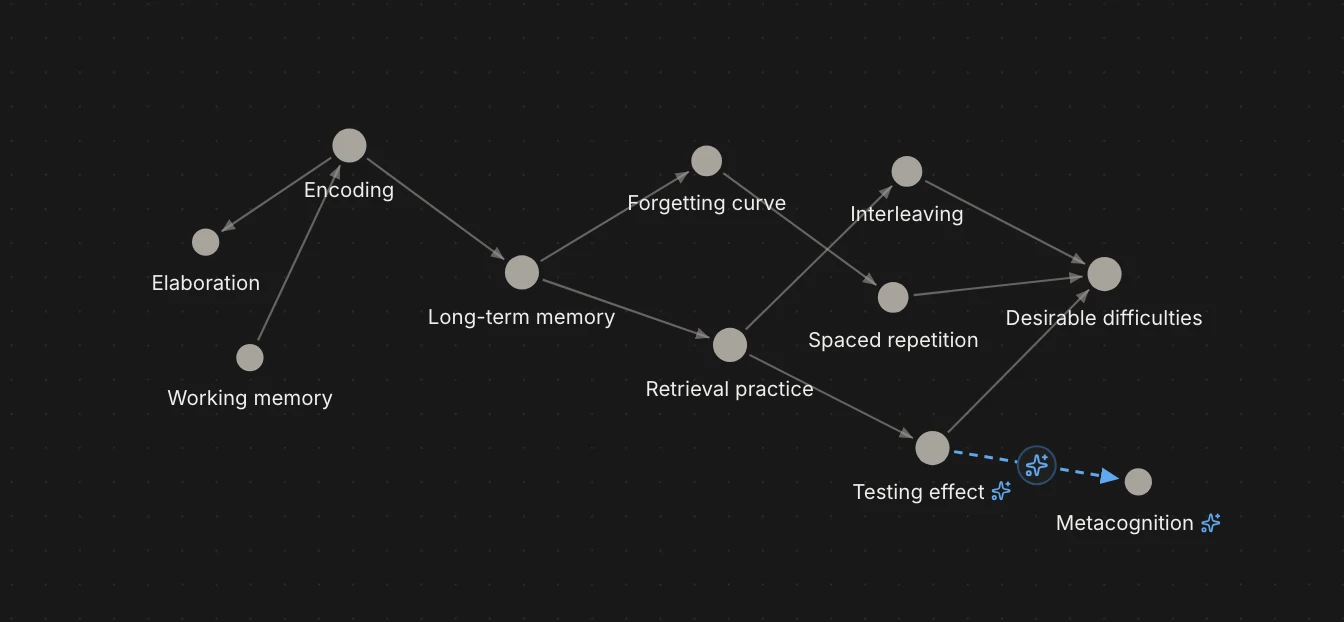
See how the ideas connect
Map the concepts in your course and what each one builds on. AI suggests links; you decide which are true.
Focus sessions
Run a focus timer and see where your study hours actually go.
Works offline
Study on the train or in a library dead zone. Everything syncs when you are back online.
Progress you can see
Streaks, recall and study time across every subject.
Organised by course
Material, decks, notes and exams filed under the subject they belong to.
Find anything
Jump to any note, card, deck, task or study session with one search.
Questions students ask first.
- Does the AI do the studying for me?
- No, and that is the point. It writes questions from your material and checks your answers, but the thinking is yours. AI can make mistakes, so every question points back to the pages it came from.
- What can I study with it?
- PDFs, Word documents and PowerPoint slides, or a link. Word and PowerPoint files open in the same reader as PDFs.
- What is free?
- There is a free plan that needs no credit card, and a Pro plan for heavier use. The pricing page has what each plan includes.
- Does it work offline?
- Yes. Once you have signed in on a device, your material, cards and notes stay available without a connection, and your changes sync when you are back online. Generating questions and checking answers need a connection.
- Who makes Student OS?
- Students. Student OS is built by students, for students, and it is only for students.
Your next exam is coming either way.
Bring one lecture, answer a few questions, and see what you actually know. It takes ten minutes and costs nothing.
1. Dunlosky, J., Rawson, K. A., Marsh, E. J., Nathan, M. J., and Willingham, D. T. (2013). Improving students’ learning with effective learning techniques. Psychological Science in the Public Interest, 14(1), 4-58.